For Nonprofits Blog
You're changing the world. We want to help.
Grow Your Organization Through Google+ This Holiday Season
Wednesday, December 7, 2011
We know you must be really busy right now trying to wrap up your year-end goals, especially fundraising targets, before everyone heads out for the holiday season. The Google for Nonprofits team would like to help. We’ve seen nonprofit organizations doing great work on Google+ to reach new people and build relationships with their audiences, and so wanted to provide you with a “holiday gift” of tips on turning your new Google+ followers into active contributors to your organizations this holiday season.
This booklet
is posted on our
Google+ for Nonprofits community page
where you can find lots of resources to get started.
In addition, you may have noticed that in the past couple days, a group of entertainers and individuals have started drawing attention to their favorite charities with the phrase
#CauseILoveEm
, and creatively showing their followers what they love about these nonprofit organizations.
+Russell Brand
is asking fans to volunteer for two hours of charity work at
+Habitat for Humanity of Greater Los Angeles
,
+Los Angeles Animal Alliance
or one of four other local LA charities. In exchange, he and Sarah Silverman will give fans two hours of live comedy.
+Usher
and student participants in his New Look Leadership Academy asked people to do an international act of kindness and post descriptions of their acts including photos and videos as comments on
+Usher's New Look Foundation
. The acts with the most "+1"s will be re-posted by Usher and highlighted on the
New Look Foundation website
.
+Linkin Park
posted a new video asking people to spread the word about
+Music For Relief
and their new
Power the World Give Light
campaign, which encourages people to donate to provide solar-powered light bulbs for families in Haiti without electricity. People who share
their website
online and drive the most clicks will be eligible to win prizes.
+Dolly Parton
and
+Dolly Parton's Imagination Library
, her early child literacy program that provides 700,000+ free books every month, are sharing
Champion Spotlight
stories about their community leaders and are posting the 20 most inspiring
Imagination Moments
submitted by families who have benefited from this gift of reading.
Co-founder
+Hugh Jackman
and
+Laughing Man
Coffee & Tea asked people to share photos of themselves with Laughing Man's fair trade products (the profits of which go to charity) and to sound off on living their motto, "All Be Happy," using #CauseILoveEm to be included in a thank you photo album.
+Josh Groban
and
+Find Your Light Foundation
announced the
Fulfill-a-Wish
campaign, spotlighting the needs of nonprofit arts organizations from across North America in videos and posts and asking for your help fulfilling these holiday wishes.
We’d love for you to take advantage of this movement to generate more awareness for your nonprofit. Ask your Google+ followers to share your organization publicly and with their circles using
#CauseILoveEm
, and letting people know why they love you in the most creative ways possible. Consider starting a quick campaign to engage new people ready to “share their love.” For example, give people something that they can do to get involved this month like posting a video about your cause, sharing a story related to your organization, or volunteering to be eligible for a Hangout for your program recipients. Please also join the open circle we’ve started on our
+Google for Nonprofits
+Page so we can suggest your organization to people wondering which nonprofits they can connect with and showcase.
We hope these tips and this viral program help you a bit towards achieving your year-end goals this holiday season.
Posted by Mimi Kravetz, Google.org Team
More Support For Grantees
Wednesday, December 7, 2011
Do you have a question about Google Grants that you can’t find an answer to, even in our newly updated
Help Center
? Would you just rather talk to someone directly?
We’re happy to say that you can do both.
If you have a question about Google Grants and you want a good answer fast, the
Google Grants Help Forum
is the place for you.
We’ve just re-launched the forum with
the new look and fee
l that you might already be familiar with from using other Google products like Gmail, and we think you’re really going to like it. It follows the same principles as the other products: focus, elasticity and effortlessness, but most importantly, it’s designed to get your questions answered fast.
We have dedicated Top Contributors (you’ll know them by
the blue icon
next to their name), Google employees (you’ll know them by
the Google icon
next to their name) and many active nonprofit participants ready with answers to your Google Grants questions. Plus, there are already lots of answered questions for you to browse. Your question may already have been answered!
But what if you just want to ask a real live person about your AdWords account? Well, you can do that, too.
Back in April,
we announced free phone support
for US and Canadian-based AdWords advertisers, and we thought this would be a good time to remind you that, as Google Grantees, this resource is available to you, too.
Just call 1-866-2Google between 8am and 8pm EST Monday-Friday and have your AdWords
customer ID
ready. If you’re outside the US and Canada and want to talk to an AdWords specialist, check
this list
for your local support phone number.
Posted by Jessica Vaughan, Google Grants Team
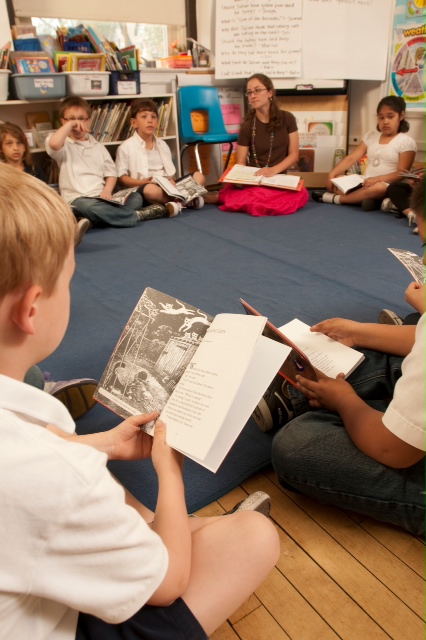
A Nonprofit Goes Google To Further Enjoyment Of Reading And Learning
Monday, December 5, 2011
Editor's note: Today’s guest blogger is Mark Gillingham, Vice President of
The Great Books Foundation
, a nonprofit educational organization whose mission is to promote reading, thinking, and the sharing of ideas for people of all ages. The Foundation's 60 employees have been using Google Apps for over two years.
For the past 60 years, the Foundation has helped millions of students and adults make the reading and discussion of literature a lifelong source of enjoyment, personal growth, and social engagement.
We offer courses for teachers in person and online. The Foundation also publishes books, anthologies, and materials for all ages to provide quality texts to discuss.
We have a history of using free and open-source applications on our desktop computers and servers that are more flexible and powerful than the paid applications we had been using. Once we learned that Google Apps was available at no cost
for nonprofits under 3,000 users
, I gathered our IT planning committee to plan how to migrate 60 users from our existing system.
We had been using an onsite email system for years because it was part of our file system. Although we upgraded the system every two years, it never seemed up-to-date. We had issues reading certain types of documents and viewing images and web sites. Using the system away from the office caused problems because we needed special applications, which varied by operating system. The calendar was not compatible with our mobile devices and the document repository was difficult to manage. As a result, most staff did not utilize the IT solutions we were offering.
We planned our deployment with a local developer Rachel Baker, whom we met through NTEN (
Nonprofit Technology Network
). She helped us understand what was required for a successful deployment and guided us through the process. We also used the
Google Apps Marketplace
to find a Google Apps reseller,
Cloud Sherpas
, whose specific migration knowledge and software helped us move all of our data.
At launch in 2009, our staff was thrilled to finally use a modern email program with highly reduced spam. Years later, some of us have still not gotten over this giddy feeling. More teams are using Google Docs to share internal and external documents. Google Calendar is the official way we schedule our meeting rooms.
Now in 2011, we're excited to try out
Google+
in our organization to find new ways to collaborate. We are considering using Google+ to provide technical support for our employees. Also, we think our remote workers could use Google+ as an easy way to communicate with their peers and home base while travelling.
Part of my job is seeing the future so I can help direct the Foundation toward technology that will work for them. Google is always improving its products and launching new features. I love it when I can show someone the next new thing. It makes them smile, which makes me smile too.
If you are a U.S. 501c3 nonprofit interested in using Google Apps, please apply for our
Google for Nonprofits program
. If accepted into the program, you can receive up to 3,000 users for free, or a 40% Business discount on more than 3,000 users.
Non US-based organizations can sign up for a
free Google Apps account with 10 users
, or you are welcome to purchase
Google Apps for Business
.
To help you setup Google Apps quickly, Google provides
many deployment resources
, plus a simple in-product
Setup Wizard
.
Posted by Chris Cheng, Google Apps Team
Share Your Story
Monday, November 28, 2011
With the launch of the
Google for Nonprofits
program, we created a place for organizations to share stories of the powerful work they are doing to change the world. Our
Make a Change
website collects lots of big and small changes made by people at nonprofits. We are inspired by these organizations and want to continue to share these stories so we invite you to share your organization’s story with us via
this webform
. Tell us about how Google products have helped you make a change with your organization. We would love to hear more about what you’re doing and we may even feature you on our
Make a Change
website.
We look forward to hearing from you!
Posted by Janelle Kuhlman, Google Grants Team
Join Presidents Bush, Clinton, plus Bono and Alicia Keys this Worlds AIDS Day on YouTube
Wednesday, November 23, 2011
(Cross-posted on
the Official YouTube Blog
)
Did you know there are now 6.6 million people receiving treatment for HIV, compared to just 100,000 in 2002? Still, more than a thousand babies are born every day with HIV and there are 34 million people living with the disease.
This World AIDS Day, you can join the discussion about how to help bring about the beginning of the end of AIDS. We’re partnering with
ONE
and
(RED)
to bring you a panel of experts who will talk about the progress we’ve made, where we're falling short, and what it's going to take to end this disease for good. They’ll also answer some questions from the YouTube audience. Starting today, you can submit your questions to the panel, which includes Presidents George W. Bush and Bill Clinton; Bono, co-founder of ONE and (RED);
Alicia Keys
, co-founder of
Keep a Child Alive
; and other leaders in the fight against AIDS, including representatives from the Tema Clinic in Ghana, the
Elizabeth Glaser Pediatric AIDS Foundation
and the Saddleback Church.
On December 1, World AIDS Day, these leaders will answer some of the top-voted questions live on YouTube at a special event hosted by ONE, (RED) and an impressive list of partners and influencers.
According to ONE, if we recommit to the fight against AIDS, by 2015 we could end mother-to-child transmission of HIV, provide treatment to the 15 million people who need it, and drastically reduce new infections. With the support of donors, African governments, organizations, and the private sector the beginning of the end of HIV/AIDS is within our reach.
Submit your question today
and become part of the beginning of the end of AIDS. The deadline to submit is November 28.
Posted by Ramya Raghavan, YouTube Team
Google Apps Highlights
Friday, November 18, 2011
(Cross-posted on
the Official Google Blog
)
The last few weeks have brought a fresh new look in Gmail, more mobile access options and simpler meeting scheduling tools. Millions of organizations using Google Apps can now use Google+ on their business and university accounts, and we launched a couple Apps-related Google+ Pages ourselves.
Gmail’s new look
Back in July we
previewed
Gmail’s new look, and a couple weeks ago we started letting people
switch to the new design
with one click. The refreshed interface makes it easier to follow conversations and spot the sender with profile pictures for each message. The new look also supports
dynamic screen densities
, so Gmail displays properly whether you’re viewing on a large desktop monitor or a smaller mobile screen. We also added a selection of beautiful
HD themes
to the existing gallery. Finally, we made it easier to perform advanced email searches using a panel of powerful search options that reveals with a single click.
Gmail app for iOS devices
This month we introduced the
Gmail app
for
the iPhone, iPad and iPod touch
, complete with mobile alerts for new mail, a responsive touch screen interface and Gmail mainstays like fast search, conversation view and address auto-complete.
Suggested meeting times in Google Calendar
We’ve heard how frustrating it can be to spend 15 minutes finding a good time for people to convene for a 30 minute meeting, so we made it easier to find a good meeting time in Google Calendar. The
suggested times
feature automatically reviews the availability of meeting invitees, and proposes event times that work for the whole group.
Google+ for organizations using Google Apps
Businesses, schools and organizations with Google Apps can now
use Google+
. Employees and students can create profiles, +1 things they like on the web, share interesting content with their circles and have live multi-person video chats with classmates, colleagues and friends. Organizations can also
create their Google+ Pages
—an organization’s identity on Google+ for customers, students or fans. We’re using Google+ Pages ourselves, so take a look at the
Gmail
and
Google Enterprise
pages, and circle us if you’d like to stay in the loop.
24x7 telephone support and improved mobile device management
This week, we introduced a couple other new benefits for Google Apps customers. Organizations of all sizes around the world can now
call our support hotline
at any time for all core service issue. Also new this week, we improved our
mobile device management
capabilities with an interface for administrators to view and deny mobile devices connecting to Google Apps, granular mobile policy controls, and the ability to visualize mobile usage trends across the organization.
Who’s gone Google?
Organizations large and small continue to amass around Google Apps. We’re thrilled to welcome a whole host of new customers including the Trinity Mirror Group (Britain’s largest newspaper publisher), startups such as
JobFlo
and
UserTesting
, organizations including the
U.S. Holocaust Memorial Museum
, and colleges like the
University of Michigan
and
UT Austin
. Welcome to all!
Posted by Jeremy Milo, Google Apps Team
More Google+ Resources For Your Nonprofit
Friday, November 11, 2011
Now that you’ve created a Google+ Page for your organization, tested how to tailor your messaging to different audiences that you care about with Circles & Hangouts and have told everyone that you’re on Google+, we wanted to wrap up our
week-long series
on Google+ for nonprofits with a few additional resources:
If you’re looking for help creating your Google+ page or about Google+ in general, check out the
Google+ Help Center.
If you want to pose a question about Google+ Pages, head over to
Google+ Page Discuss.
If you have general, nonprofit-related questions, explore the
Google for Nonprofits Help Center.
If you have support-related questions, you can ask them in the
Google for Nonprofits Discussion Group.
And we’re on Google+ too! So if you haven’t already added the
Google for Nonprofits Google+ page
to your circles, head over and check us out. We hope this series was helpful to get your nonprofit started with Google+ and look forward to learning more about how your organization is using Google+ to further your goals. Make sure to share your Google+ best practices on our page so other nonprofits can learn from you.
Posted by Leslie Hernandez Dinneen, Google.org Team
Get The Word Out That Your Organization Is Now On Google+
Thursday, November 10, 2011
Now that you’ve put a ton of work into
your organization’s Plus Page
, let people know about it! There are lots of ways to tell the world that your nonprofit is on Google+.
1. Tell everyone you’re on Google+: Tell donors, volunteers & clients in your newsletters, on your website & anywhere else that users go to learn about your organization. We’ve created some starter language for you to add to your next email, newsletter or social media update. You can customize this language for your organization:
Newsletter & Email copy: We’re now on Google+! [link to your Google+ page] We’ll be posting regularly about what we’re up to and will be trying a few Hangouts. So come check us out on Google+. And if you love us, add us to your Circles so you can get all of our Google+ updates directly in your Google+ stream. Leave a comment on our Google+ Page and let us know what you think.
Social media update: We’re now on Google+! [link to your Google+ page] Come hang out with us and hear the latest on what we’re up to. You can follow us here: [add a link to your nonprofit’s Google+ Plus Page]
2. Connect your Google+ Page to your website
Let users know they can find you on Google+ by connecting your Google+ page to your nonprofit’s website.
Learn more about linking your +Page to your website.
3. Add the +1 button to your website
Help your message circulate by installing the +1 button on your website. You can easily
grab a snippet of code
and work with your webmaster to add it to your website. You know your page and your users best, so we recommend putting the button wherever you think it will be the most effective.
Learn more about the +1 button.
By telling everyone that your nonprofit is on Google+, you can let volunteers, friends, donors, board members & more know that they can have a customized conversation with your nonprofit on Google+.
Posted by Leslie Hernandez Dinneen, Google.org Team
Engaging Your Constituents On Google+
Wednesday, November 9, 2011
Do you ever wish you could tailor your social media communications to all of the different audiences your nonprofit communicates with? For example, you probably speak to volunteers differently than how you speak to the board. As part of our
week-long series
to get nonprofits up and running successfully on Google+, here are a few ways for you to start sharing your Google+ page with key audiences for your organization.
1. Continue posting to keep people up-to-date
You can post content publicly so people can find it using search, or use Circles to tailor your message to more specific users. Regularly posting interesting content, engaging with your users by asking questions, and sharing photos and videos are all ways to keep people coming back for more.
Learn more technical tips on how to share content with others.
2. Launch Hangouts
Nothing beats having a live, dynamic gathering around a topic that your organization works on or cares about. Hangouts let you set up one-click video conversations with volunteers, donors, and recipients -- whoever you want to have a conversation with. Just let your followers know when you’ll be hanging out and what topic you want to discuss. You can get face-to-face interaction in real time -- all over high-quality, easy-to-use video chat.
Starting a hangout from your +Page is easy, just make sure you’re looking at your +Pages stream, and click “Start a Hangout” on the right hand side of your stream. Check yourself out in the “powder room” to make sure your mic works and you look great. Then, add the circles you would to join the hangout, and click “ Hangout.”
Learn more about Hangouts with +Pages.
3. Manage your circles
Different people have different interests, and Google+ allows you to easily share relevant content with the right people. For example, you could create a circle for volunteers and share information with them about upcoming events.
Learn more about managing Circles on Google+.
4. Monitor the conversation
It’s important to stay updated about what is happening on your page and what the general tone is. Whether negative or positive, make sure to stay engaged with your Google+ page by responding to comments. Some comments, even if negative, may still serve as a gateway for richer dialogue about important issues. Consider how you can leverage a difficult comment to have a conversation.
Try searching for your organization’s name in Google+ to learn what people are saying publicly about your Google+ page. Also make sure to monitor other +mentions of your page by looking in your notifications stream.
Check back tomorrow for more information about how you can tell the world that your organization is now on Google+.
Posted by Leslie Hernandez Dinneen, Google.org Team
Create A Google+ Page For Your Nonprofit To Connect With People Who Care About Your Cause
Tuesday, November 8, 2011
As part of our
week-long series
to help nonprofit organizations get up and running on Google+, we wanted to share some more details about how you can successfully create your Google+ page.
Your Google+ Page is the home of your organization on Google+; make it yours with photos, success stories, information about volunteering and donating, project locations and more. You can follow the steps below to get your organization up and running on Google+.
1. Create your profile
You’ll need to have a Google Account and a personal Google+ profile to create a Google+ Page. Once logged into your Google+ profile, on the right hand side of your stream, you will see “Create a Page” to begin creating your page.
When you create your page, you’ll be asked to select a category, make sure you select “Company, Institution or Organization” to indicate that you’re a nonprofit.
To get started, walk through the dialog boxes to set up the basics of your profile including a profile picture and a tagline for your organization.
Want more help?
Learn more about creating your Google+ Page and editing your profile.
2. Start posting
Want to start the conversation? Make your page engaging so that users want to come back and check what new content you’ve added. You can choose which circles you share info with, so people are only seeing the updates that are the most relevant and interesting to them.
Learn more about sharing on Google+.
3. Grow your Circles
Whenever someone adds you to their Circles, you can add them right back, so spreading the word and encouraging people to add you is a key component of talking to the people who want to hear from you. To view people and pages who aren’t already in your circles but have added you, review your followers on your Google+ page.
Learn more about adding people to your circles.
4. Follow and Interact with helpful Google+ Pages
Follow
the latest on Google+ and in the Google for Nonprofits community by adding our official
Google+ team page
and the
Google for Nonprofits Google+ page
to your circles.
Interact
with our Google+ page by dropping by for a hangout, reading and commenting on our tips, and letting us know how you’re liking Pages by sharing a post with us.
Check back tomorrow for more tips and tricks to engage with people who care about your nonprofit on Google+.
Posted by Leslie Hernandez Dinneen, Google.org Team
Labels
AdWords Basics
98
AdWords in the Curriculum
9
Google Analytics
9
Google Apps
25
Google Apps Highlights
10
Google Earth
18
Google Earth Outreach
28
Google for Nonprofits Blog
529
Google Fusion Tables
2
Google Maps
10
Google Products
63
Google Sketchup
2
Google+
16
Grantees
98
Grants Program
97
Optimization
59
Program Alerts
15
Resources for Non-Profits
179
Tracking Performance
35
YouTube
26
Archive
2016
Sep
Aug
Jul
Jun
Apr
Mar
Jan
2015
Nov
Sep
Aug
Jul
Jun
May
Apr
Feb
2014
Nov
Oct
Aug
Jul
Jun
Apr
Feb
2013
Dec
Nov
Oct
Sep
Aug
Jul
Jun
May
Apr
Mar
Feb
Jan
2012
Dec
Nov
Oct
Sep
Aug
Jul
Jun
May
Apr
Mar
Feb
Jan
2011
Dec
Nov
Oct
Sep
Aug
Jul
Jun
May
Apr
Mar
Feb
Jan
2010
Dec
Nov
Oct
Sep
Aug
Jul
Jun
May
Apr
Mar
Feb
Jan
2009
Dec
Nov
Oct
Sep
Aug
Jul
Jun
May
Apr
Mar
Feb
Jan
2008
Dec
Nov
Oct
Sep
Aug
Jul
Jun
May
Apr
Mar
Feb
Feed
Google
on
Follow @googlenonprofit
Follow






 Follow