For Nonprofits Blog
You're changing the world. We want to help.
Raise awareness and donations for your nonprofit with One Today by Google
Friday, August 9, 2013
Back in April, we launched
One Today
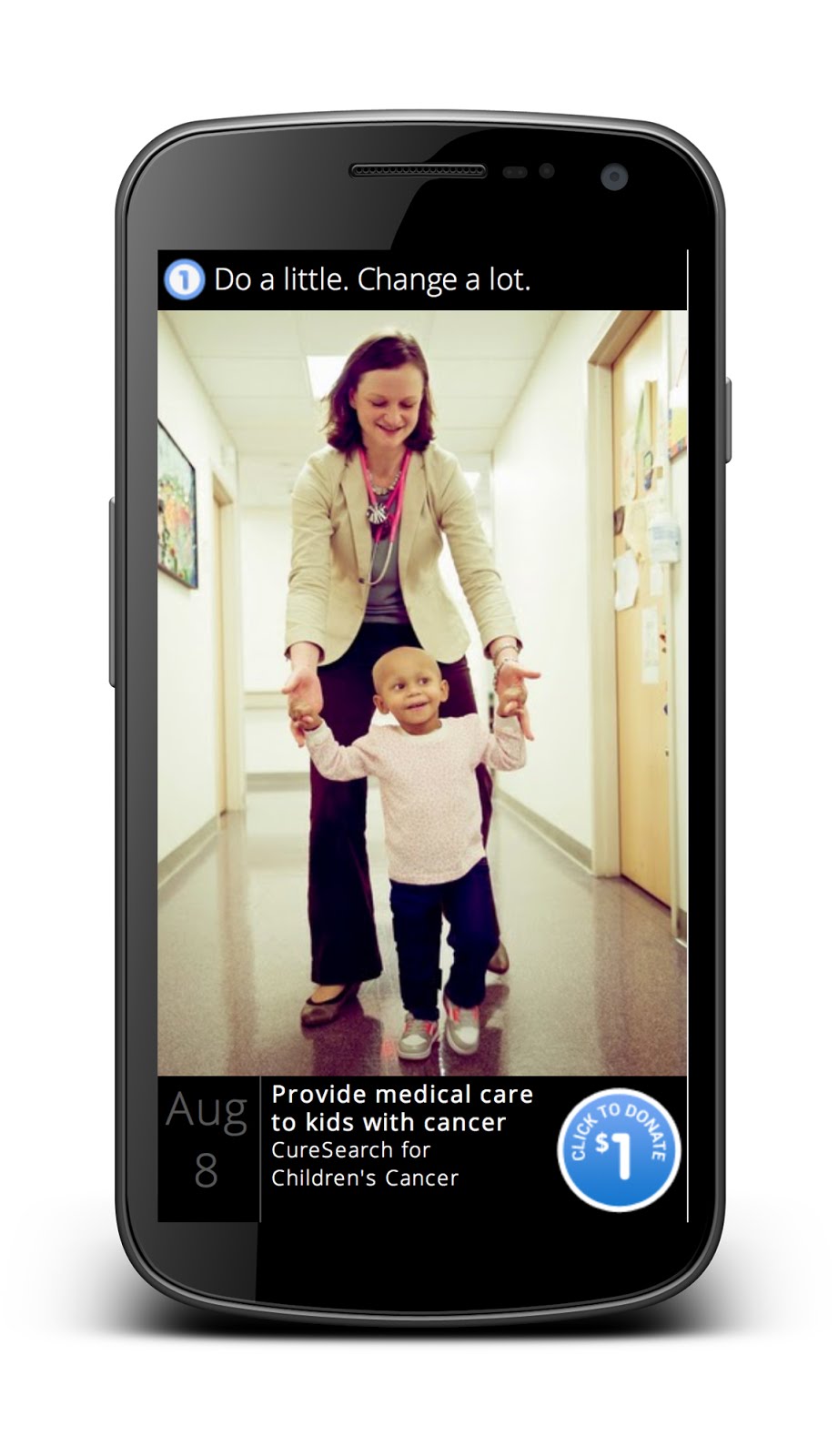
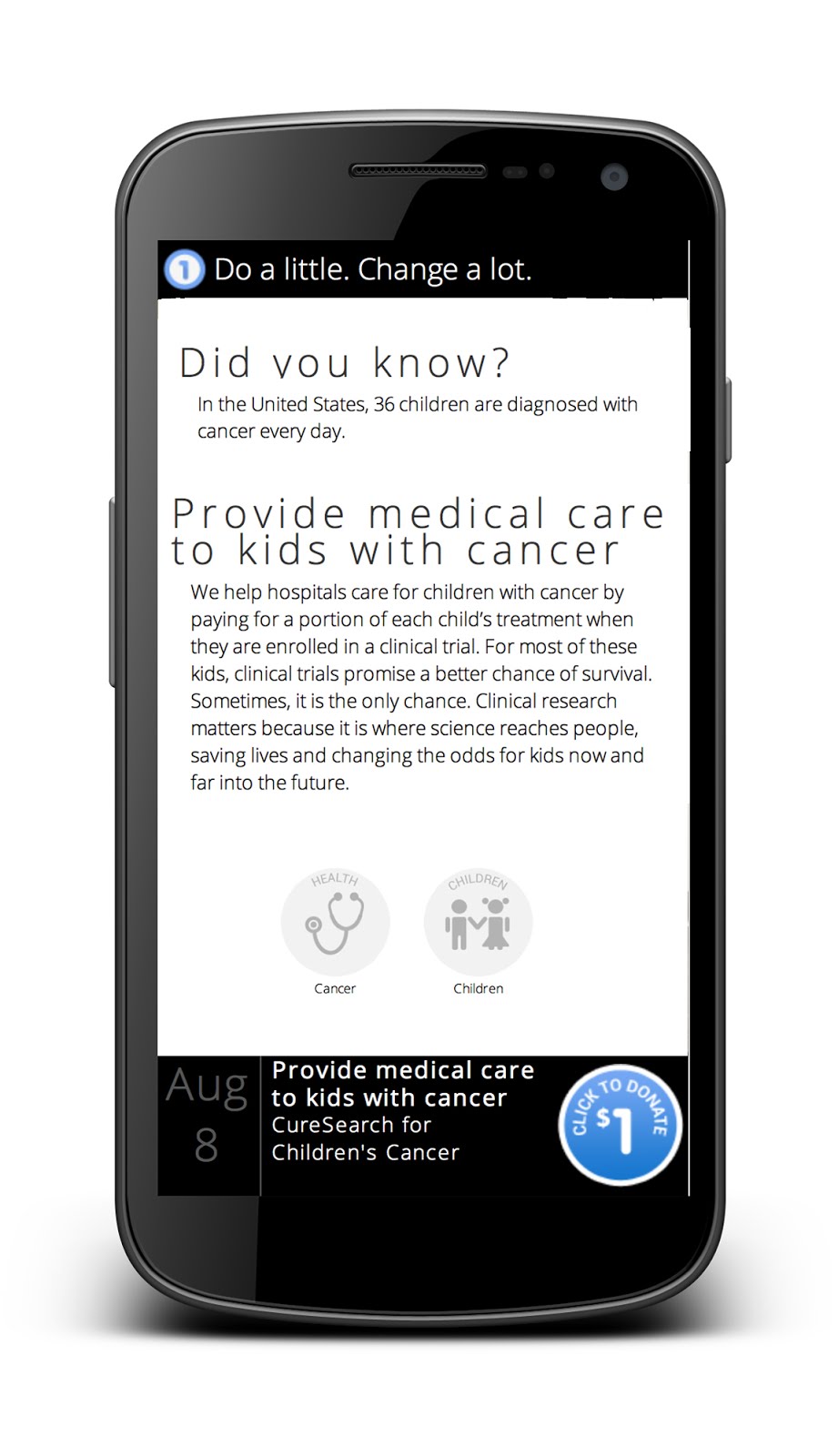
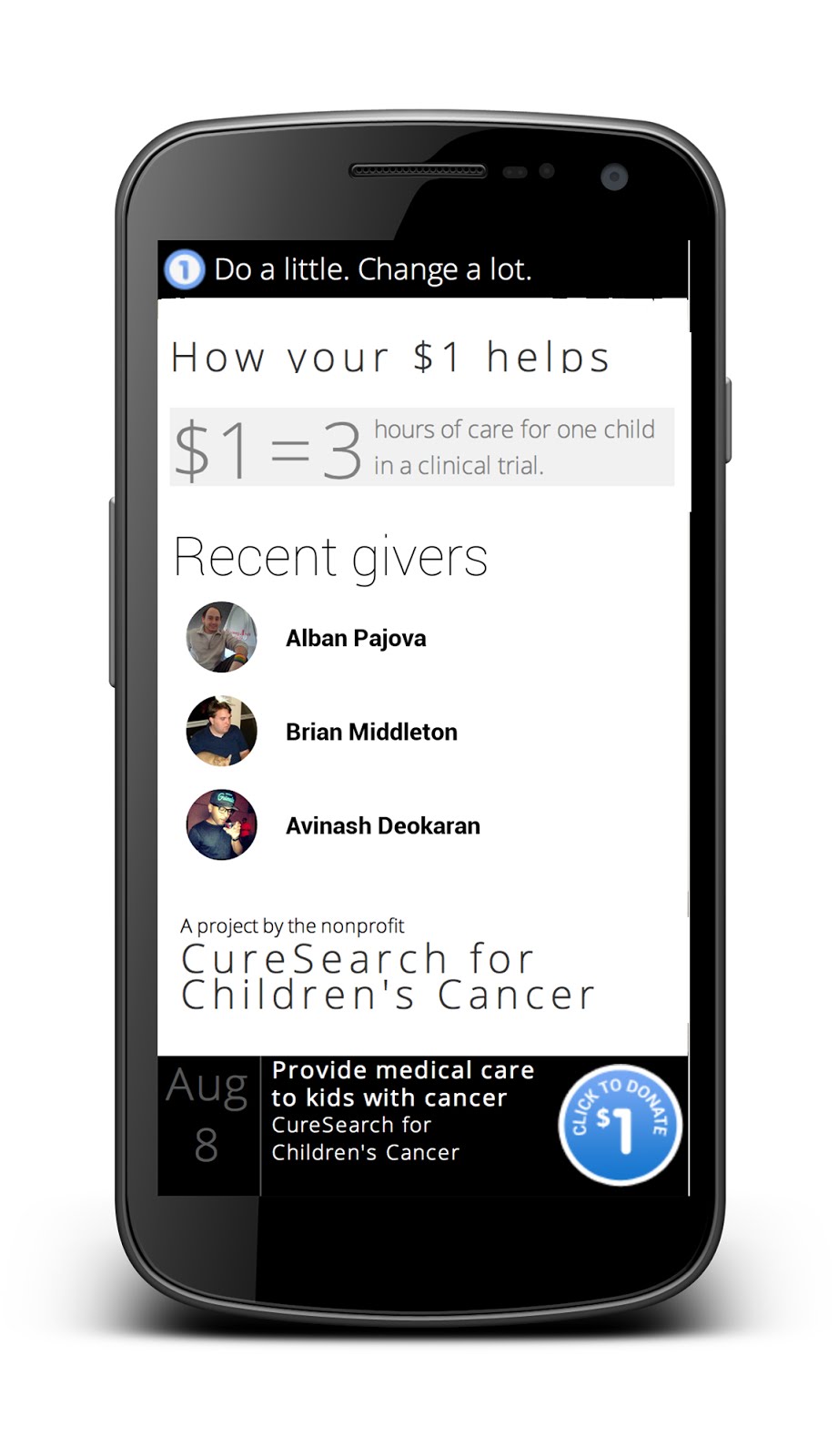
-- a mobile app that brings together people and nonprofits through the act of giving $1. Until now, One Today has been available through limited pilot, but now we are excited to announce that the app is available to all Android users in the US.
With One Today, we connect users with the causes most likely to interest them by highlighting projects from different nonprofits like yours. Users can donate $1 to projects they like and a few dollars become many as users invite their friends to donate through social media. The more people who donate, the faster your project gets funded. Each month, nonprofits on One Today receive project donations through our partner
Network for Good
.
Creating projects with One Today only requires about ten minutes of planning. By enrolling, you can expand your donor base and raise awareness about the amazing things you do.
Signing up
for One Today is completely free. To register, you must be a member of Google for Nonprofits -- if you are already a member, you can enroll by
signing into your account
and activating One Today.
Here
are more resources to get started with creating a project.
We’re amazed by the great work nonprofits do on a daily basis to make the world a better place, and we’re thrilled to provide a new platform which helps you to tell your story to users who care about the same important things that you do. We look forward to continuing to improve the One Today experience and to growing our dynamic community with incredible nonprofits.
Posted by Maya Amoils, Google.org team
See more video insights with YouTube Analytics
Tuesday, August 6, 2013
(Cross posted from the
YouTube Partners & Creators Blog)
YouTube Analytics
can teach you more about your audience and help you spot trends to improve your channel. As your channels and networks grow, one of the top requests you ask for is to see more of your videos at once in YouTube Analytics. Starting today, you can see your top 200 videos in your video reports, as well as new charts to visualize your channel’s activity. For networks, you can now see the same data for your top 200 channels.
The new multi-line graphs allow you to compare the performance of up to 25 videos, channels or geographies over time in a number of reports. This is great for comparing video views, comparing views in different geographies, where most of your subscribers come from, and more.
With the stacked area view you can see how the data of selected videos, channels or geographies relate to their totals.
Drop us a comment here or in the
YouTube Analytics Google+ community
with more features you’d like to see.
Posted by Ted Hamilton, YouTube Product Manager, recently watched
“
Northwestern's Matt Eliason Bicycle Kick Goal - Messi & Friends at Soldier Field - July 6, 2013
”
Help inspire the next generation of technology creators: Apply for a 2014 RISE Award
Thursday, August 1, 2013
(Cross posted from
the Official Google Blog
)
Inspiring the next generation of scientists and engineers is crucially important—breakthroughs don't happen without people to make them. We want students to not just be consumers of technology, but also creators of it; to enrich not only their own lives, but those of their communities. That's the motivation behind the
Google RISE
(Roots in Science and Engineering) Awards.
Given once a year, Google RISE Awards are designed to promote and support education initiatives to increase engagement in science and technology, especially computer science. Google grants awards of $15,000 - $50,000 USD to non-for-profit organizations around the world working to expand access to these fields for K-12/Pre-University students, specifically girls and underrepresented groups.
In 2013, 30 organizations
received
RISE grants—with projects ranging from robotics contests in Germany to programming challenge days for girls in New Zealand. In June, we brought all of our partners together for a Global Summit. It was an inspiring meeting, and since the Summit several organizations have begun to work together to expand their reach.
For example, our RISE partners in Nigeria,
WAAW Foundation
and
W-TEC
, have teamed up to organize a one-week residential Advanced STEM Camp. The program launched this week and will provide 27 public school girls exposure to robotics. Over in Argentina, an
organization
already connecting Belgium to Argentina is is now collaborating with
another
on programming workshops for students and teachers. And organizations in
Liberia
and
India
are sharing resources to overcome common challenges in access to technology for girls.
The hard work of RISE organizations has also drawn support from leading figures such as
President Obama
, Ireland’s
Taoiseach Enda Kenny
and
HRH Prince Andrew
.
We’re looking for more organizations to partner with in 2014.
Submit
your application by September 30, 2013. You can submit your application in English, French, Japanese, Russian or Spanish; all eligible countries are listed on our
website
. Show us what you can do to get students excited about STEM and CS!
Posted by Marielena Ivory, K12/Pre-University Education Outreach
Drive YouTube subscriptions from your web site
Thursday, August 1, 2013
(Cross posted from the
YouTube Partners & Creators Blog)
To build your YouTube audience from all of your web properties, you can now embed the YouTube subscribe button on your site. This lets your fans subscribe with a single click without leaving your site. Once fans subscribe, they can see your channel on their YouTube homepage, phone, tablet, Playstation 3, smart TVs and millions of other devices.
Here’s what the subscribe button looks like on
Vice.com
in the bottom-right corner of this screenshot:
To put the subscribe button on your site, just embed the code below like you’d embed a YouTube video.
<script src="https://apis.google.com/js/plusone.js"></script>
<div class="g-ytsubscribe" data-channel="
Your Channel Name Here
">
</div>
Check out this documentation if you want to
customize the button or dive into the details
.
Posted by Kurt Wilms, Product Manager, recently watched “
Stjarnan FC show how to celebrate a goal
.”
How to keep track of multiple marketing channels (and save time) with Google Analytics
Monday, July 22, 2013
Together we’ve walked through how to
design a nonprofit measurement strategy
and how we can use Google Analytics to
get the metrics that we need
. Now that you’re off to the races with your new measurement plan, here are a few non-technical things you can do to make monitoring
your data easier and more insightful.
Monitor KPIs with a custom Analytics Dashboard.
Using a custom dashboard will help you easily view metrics that are important to you in Analytics. If you’re looking for a template, here’s a
Google Analytics Dashboard for nonprofits
created with
our measurement strategy in mind
. Remember, you need to have
Ecommerce tracking
implemented to track donations and
goals
configured to track KPIs. If you’re not using those features then you will not see any data in the dashboard.
Understand how your marketing activities work together with
Multi-Channel Funnels
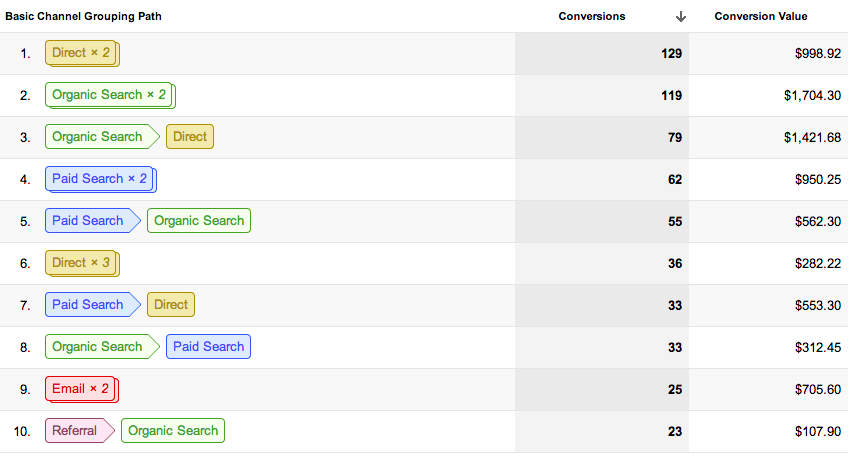
. Often an online donation isn’t the result of a single effort like an online ad, but actually the result of multiple marketing channels working together. If we only examine the last touchpoint before a donation or other online goal is made, we could miss several important insights and opportunities. That's where Multi-Channel Funnels come in.
Multi-channel funnels allow you to see interactions across different digital media and show you how those channels then work together together to reach an online goal, like a donation or volunteer sign-up. When you set-up goals or track Ecommerce transactions in Google Analytics, Multi-Channel Funnels will automatically
generate five reports
to show you that data. Using this information, you can get a deeper understanding of the value your marketing efforts.
We hope these tips help you implement and easily track a measurement strategy in line with your mission. If you'd like to learn more about Analytics, visit our
YouTube channel
and
Google+ page
for more tutorials, updates and ideas on how you can leverage our tools to help your nonprofit.
Posted by
Justin Cutroni, Google Analytics team
New Learn with Google Summer Webinar Series
Thursday, July 18, 2013
At Google, one of our goals is to help make the web work for you. Today we’re announcing our summer series of Learn with Google webinars, which will teach you how to use digital to build brand awareness and give you the tools you need to drive sales. Each of our sessions gives you deep-dive educational content, across a breadth of products and marketing objectives, in a format that’s convenient for you. Every webinar is led by Google product experts and includes time for audience Q&A. Sign up to start becoming a smarter digital marketer now.
Upcoming live webinars:
July
[Shopping]
Google Shopping 101
: Overview of Shopping & Product Listing Ads
[Search]
Improving Your Search Campaigns with Remarketing Lists for Search Ads
[YouTube]
Driving Direct Response with Video
August
[Shopping]
Google Shopping 201
: Product Listing Ad Optimization Essentials
[Shopping]
Google Shopping 301
: Advanced Optimization Tactics
[Search]
Taking Advantage of New AdWords Features
[YouTube]
Building your Business with YouTube Video Ads
[Social]
Kick-Starting Social with Google+
September
[Display]
Planning Display Campaigns with the New Display Planner in AdWords
Webinars are held Tuesdays through Thursdays at 10am Pacific/1pm Eastern.
Visit our
webinar site
to register
for any of the live sessions and to access our large library of recorded content. You can also stay up-to-date on the schedule by adding our
Learn with Google calendar
to your own Google calendar to automatically see upcoming webinars.
Learn with Google is a program to help businesses succeed through winning moments that matter, enabling better decisions and constantly innovating.
We hope that you’ll use these best practices and how-to’s to maximize the impact of digital and grow your business. We’re looking forward to seeing you at an upcoming session!
Posted by
Erin Molnar, Marketing Coordinator, Learn with Google
You’re changing the world. We want to help.
Tuesday, July 16, 2013
A couple of weeks ago, we celebrated the winners of the
Google Global Impact Challenge
in the UK, awarding prizes to nonprofits for some amazing, innovative uses of technology to help their causes. Today we are thrilled to go one step further and launch the
Google for Nonprofits
programme in the UK, starting in England and Wales.
Google for Nonprofits is a one-stop-shop that offers access to our suite of free and discounted products and tools. If you work for a nonprofit, you can
apply to join the program today
. Once your organisation is approved, you get free
Google Apps
to cut IT costs and operate more efficiently, up to $10,000 a month in advertising on
Google AdWords
to reach more donors, and premium features for
YouTube
and
our mapping technologies
to raise awareness of your cause. We’ve also developed other online resources such as
educational videos
,
case studies
and better ways
to connect
with other nonprofits.
Over the years, Google has donated over $1 billion worth of products to nonprofits, and several UK organisations are already using our tools.
BeatBullying
, a charity that fights online bullying, uses Google Apps to enable more sharing and collaboration amongst colleagues; the
Royal National Lifeboat Institution
uses Google AdWords and YouTube to raise awareness and recruit more supporters; and
WaterAid
uses Google mapping technologies to show where their work is making a difference.
We’re inspired and humbled by the amazing ways nonprofits are making the world a better place, and look forward to supporting the work of more UK nonprofits.
Posted by Xiaonan Zhao, Product Manager, Google for Nonprofits
Using Google Analytics to measure your organization
Monday, July 8, 2013
Successful measurements are a tangible way to analyze how well your nonprofit is achieving its mission and objectives. Now that we’ve discussed
how to set up a measurement framework
, how are you going to gather the data? Fortunately, a fairly basic implementation of
Google Analytics
will give us almost everything we need. Here are four steps to get you started.
1. Tag your pages.
Once you sign up for Analytics, you’ll be given a tracking code to paste onto your pages so you know when your site is visited. With your pages tagged, you can see all kinds of data including daily visits, time spent on site by country and traffic types. If you need help getting started with tracking, check out this step-by-step guide
here
.
2. Track KPIs with the Goals feature.
Goals
are completed activities that happen on your site, like someone filling out and submitting a volunteer sign-up form. We can easily translate the key performance indicators (KPIs) we designed in
our measurement framework
into Analytics Goals. For example if your KPI is volunteer sign-ups, you could track it by setting a goal of how many people reach the volunteer sign up confirmation page.
Remember, you get 20 goals, so there are more than enough for all KPIs across the various business strategies. Learn how to set yours up
here
.
3. Measure donations and donation type with ecommerce tracking.
Ecommerce tracking allows you to track total donations and differentiate donation type as a different product. This feature also enables reports that will give you insight into the behavior of your donor, including how many times they visited your site before donating and how many days between their initial visit to your site and their donation. Understanding how, why and when people give can help you make better decisions about allocating resources and future marketing efforts. You can begin implementation by activating the reports and installing additional code
here
.
4. Segment users with custom dimensions.
Custom dimensions is a feature that lets you collect custom data with Google Analytics. For example, you could use a custom dimension to segment your website visitors into groups like volunteers and donors. When someone submits a donation your custom dimension will indicate the user is a donor. Or when someone volunteers via your website, they’ll be identified as a volunteer. With that segmentation, we can gather specific data on our donors and volunteers which allows us to measure our KPIs and get a better understanding of our users. To begin using custom dimensions, follow our implementation instructions
here
.
If you'd like to learn more about how you can leverage our tools to help your nonprofit, visit
our YouTube channel
and
Google+ page
for more tutorials, updates and ideas.
Posted by Justin Cutroni, Google Analytics team
Creating a measurement strategy for your nonprofit
Monday, June 24, 2013
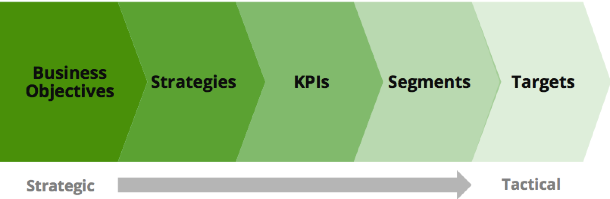
As nonprofits, measuring the success of your organization can often be tricky. If your mission is “Improving lives”, what metrics can you use to show that? We’d like to help. We’ve created a framework that you can use to evaluate your nonprofit more effectively. Follow along with me below and by the end we’ll have developed metrics, targets and much more that will allow you to show the success and growth of your nonprofit.
To get started, we’ll use a fictional nonprofit called Nonprofit X or NPX, for short.
1. Everything starts with the organizational mission
. Once we know that, we can investigate the strategies and tactics needed to execute that mission or business objective. All along the way, we’ll define pieces of data that help up measure the performance. For our fake nonprofit, NPX, our mission will be to “Improve the lives of those that are in need of stable, safe housing.” Knowing our mission is important because that’s what we’ll measure and how we’ll define success for our strategies and other tactics. In the case of NPX, our measure of success is improved lives. Although that metric doesn’t exist in any tool, we can use it to define strategies that accomplish it.
2. Identify strategies to accomplish your mission.
We can identify strategies by interviewing people at the top: board members, executives, etc. For NPX, we have three primary strategies: fund homebuilding projects by generating donations, coordinate volunteers to build houses and raise awareness of our cause. Once your team works together to outline strategies, your next step is to outline tactics.
3. Outline tactics to execute your strategies.
Nonprofits can have one or more tactics to achieve each strategy. Strategies don’t often change over time, but the methods or tactics we use to implement those strategies do. To keep things simple, we’ll keep all of of our NPX tactics web-based. NPX’s tactics include collecting donations via a website, recruiting volunteers via a website and educating the public about the lack of housing via an informational website. With our tactics ready, we’ve now reached the good part.
4. Measure tactics with key performance indicators (KPIs).
Each KPI should measure the performance for our tactics. Creating KPIs can be a bit tricky, since you have to understand how to measure your top line strategy (mission, etc), but also what you’re capable of tracking with your tools. You don’t need several KPIs for each tactic, maybe 3 to 5 for each. For our NPX tactic of collecting online donations, we’ll want to look at metrics like revenue and average donation size. With recruiting volunteers, our KPIs will be the number of volunteers and number of searches for volunteer activities. We’ll measure our success in educating the public with how many people submit a letter to congress on our behalf and watch our informational video.
5. Identify segments to understand changes in your KPIs.
Segmentation, which is the foundation of all analysis, helps us understand why our KPIs move up, down or stay the same.
For our donation strategy, we’ll want to split revenue by marketing activity that generated the revenue so we can calculate ROI. We’ll also want to segment donation based on donation type and identify repeat donors.
Segmenting the volunteer KPIs is similar. We’ll want to see how different marketing campaigns perform, differentiate repeat volunteers from first-time volunteers and segment based on geographic location (as NPX volunteer opportunities are geographically based).
Next is cause awareness. We’ll start by segmenting by traffic source, visitor type and content type. We want to know what sources brought in our users, so we can spend money and time around those in the future and be able to see how people are engaging on our site.
Now that we have segments, it’s time to add some context to the data in the form of targets.
6. Add context to your segments and KPIs with context.
Targets are how almost every business evaluates performance. Organizations, at the beginning of the year, often lay out where they want to be every month or quarter. Then as the year proceeds you can compare where you’re at with where you need to be. You can also account for upcoming activities when determining if you will, or will not, make your targets.
Now that we’ve created our measurement strategy, we’ll need a way to get our measurements. So next up, we’ll show you have to translate this plan into a Google Analytics implementation. If you’d like to kickstart learning about Google Analytics, check out our
guide
and
video tutorial
designed specifically for nonprofits.
*The original framework was created by fellow Googler
Avinash Kaushik.
Posted by Justin Cutroni, Google Analytics team
Results of the first ever survey on nonprofits using online video
Wednesday, June 19, 2013
Everyday we see inspiring, educational, and creative nonprofit videos on YouTube. Nonprofits of all sizes are using video to reach new constituents and turn video views into action. We launched the
YouTube Nonprofit Program
in 2007 to help organizations take their work to the next level, and since then, more than 20,000 nonprofits have joined the program.
But we want to see even more great nonprofit organizations take advantage of the powerful storytelling options that video allows them. That’s why
we joined with
See3 Communications
and
Edelman
to find out just how nonprofits are using online video and how we can better help them. Together we launched our first survey of nonprofit online video use. We tallied results from over 450 respondents, including senior management
, marketing
, and video production professionals from organizations of varying sizes and missions. Their video skills were equally as mixed
- some are already using video within campaigns
, while others are just
buying their first camera.
You can download the full survey results
here
.
The guide includes survey data and insights from nonprofits who have had a lot of success and online video experts.
In a nutshell, here’s what we learned:
According to the survey,
nearly all nonprofits recognize the significance of the “video revolution”, but few feel prepared to use this powerful communications tool to its full potential.
There is a clear understanding that video is a necessary tool to reach constituents and key audiences, but how to measure success and return on investment is less clear.
80%
of respondents said that video is important to their organization today
91%
of respondents want to be making more video
62%
of respondents designate very little or no staff time for video production and distribution
76%
of respondents either don’t know how to measure video success or only track it anecdotally
If you’re a nonprofit and you’re struggling to use online video online video or if you just want to learn more about how to launch video campaigns and track your progress, here are some resources to check out:
YouTube.com/nonprofits
-
Interested in joining us on YouTube? Visit this site to learn about the program, find resources and apply to the program
.
Playbook for Good
-
This guide walks through best practices specifically for nonprofits using Youtube. From developing content to adding the Google Wallet “Donate” button, you’ll get an in depth view of how you can activate your cause on YouTube.
Nonprofits on YouTube video series.
Starting today, you can access our video series sharing short lessons and tutorials for creating your online videos. We’ll be posting new trainings weekly through July. Check out the first three below.
Whether you’re creating your first video or adding content to an existing campaign, we can’t wait to see you inspire the YouTube community.
Posted by Jessica Mason, YouTube for Nonprofits team
Labels
AdWords Basics
98
AdWords in the Curriculum
9
Google Analytics
9
Google Apps
25
Google Apps Highlights
10
Google Earth
18
Google Earth Outreach
28
Google for Nonprofits Blog
529
Google Fusion Tables
2
Google Maps
10
Google Products
63
Google Sketchup
2
Google+
16
Grantees
98
Grants Program
97
Optimization
59
Program Alerts
15
Resources for Non-Profits
179
Tracking Performance
35
YouTube
26
Archive
2016
Sep
Aug
Jul
Jun
Apr
Mar
Jan
2015
Nov
Sep
Aug
Jul
Jun
May
Apr
Feb
2014
Nov
Oct
Aug
Jul
Jun
Apr
Feb
2013
Dec
Nov
Oct
Sep
Aug
Jul
Jun
May
Apr
Mar
Feb
Jan
2012
Dec
Nov
Oct
Sep
Aug
Jul
Jun
May
Apr
Mar
Feb
Jan
2011
Dec
Nov
Oct
Sep
Aug
Jul
Jun
May
Apr
Mar
Feb
Jan
2010
Dec
Nov
Oct
Sep
Aug
Jul
Jun
May
Apr
Mar
Feb
Jan
2009
Dec
Nov
Oct
Sep
Aug
Jul
Jun
May
Apr
Mar
Feb
Jan
2008
Dec
Nov
Oct
Sep
Aug
Jul
Jun
May
Apr
Mar
Feb
Feed
Google
on
Follow @googlenonprofit
Follow







 Follow